How to fix video stuttering on your TV: a simple setting change
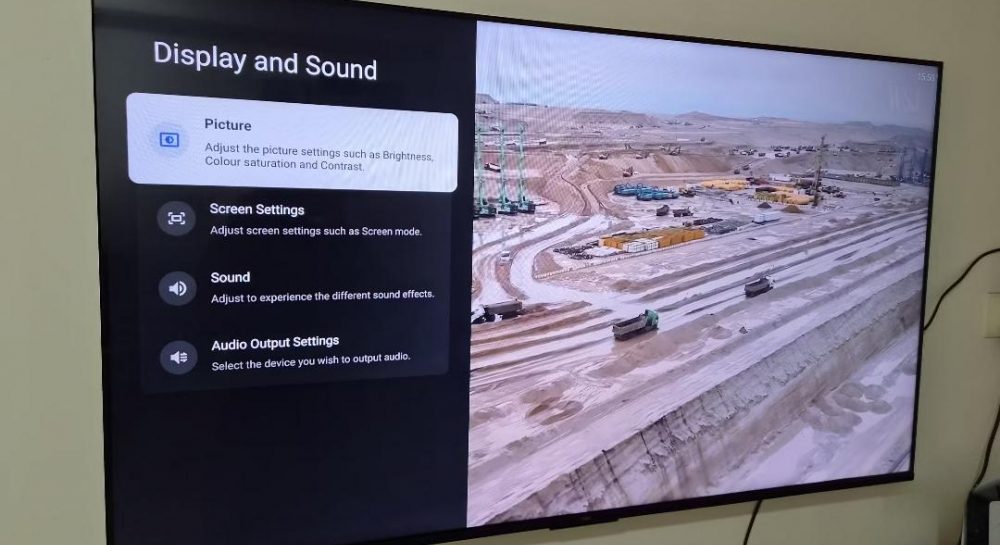
Many TV owners experience image stuttering while watching movies. The issue can often be resolved by adjusting the screen refresh rate settings.
 💡Tech
Photo: UNIAN
Key points
- Frame rate mismatch between 24 fps and 60/120 Hz
- Match content frame rate feature eliminates stuttering
- Filmmaker Mode preserves the original cinematic look
Why video stuttering occurs
Many viewers mistakenly attribute image stuttering during movies to poor internet connection speeds. However, experts point out that the technical cause usually lies in a mismatch between the frame rate of the video content and the TV's refresh settings.
Most films are shot at 24 frames per second, while modern televisions operate at 60Hz or 120Hz. To adapt 24fps to a 60Hz screen, TVs use a 3:2 pulldown method, which results in an uneven frame display that the human eye perceives as micro-stuttering or jitter.
How to adjust your TV for smooth playback
The most effective way to eliminate this issue is to enable the Match content frame rate feature. This option allows the TV to automatically adjust its refresh rate to match the source material, for instance, switching to 24Hz or its multiples.
Additionally, experts recommend enabling Filmmaker Mode. This setting disables aggressive motion smoothing algorithms that often distort the director's original intent by inserting artificial intermediate frames.
Source UNIAN — unian.ua/techno/gadgets/chomu-smikayetsya-zobrazhennya-na-televizor… ↗
Read next
 🛡️Security
Massive attack on energy infrastructure: Rivne region partially without power
Around 50 settlements in the Rivne region have lost electricity following the latest Russian strike on energy infrastructure.
 🏙️City
How to stay warm in winter: expert tips for residents of Horishni Plavni
Energy efficiency experts have shared practical methods to help residents of Horishni Plavni minimize heating costs and maintain a comfortable bedroom temperature during …
 🛡️Security
Russian colonel suspected of ordering chemical weapons use against Ukrainian border guards
The Prosecutor General's Office, in cooperation with the SBU and the OPCW, has documented the use of prohibited chemical grenades in the Dnipropetrovsk region.
 👥Society
Zelenskyy confirms evidence of Starshield restrictions for Ukrainian military
The President of Ukraine responded to Elon Musk's denials, citing military data regarding speed limits imposed on the satellite system.
 🎭Culture & Sport
Religious observances on November 28th
On November 28, the church commemorates St. Stephen the New, the martyr Irinarch, and St. Paisius Velichkovsky.
 👥Society
November 28: Holodomor Remembrance Day and other important dates
Today, November 28, Ukraine commemorates the victims of the Holodomor and celebrates several professional and international observances.